I wanted to redeploy my VCF 9 lab and thought I would use the JSON spec file that I exported when deploying it using the wizard the first time.
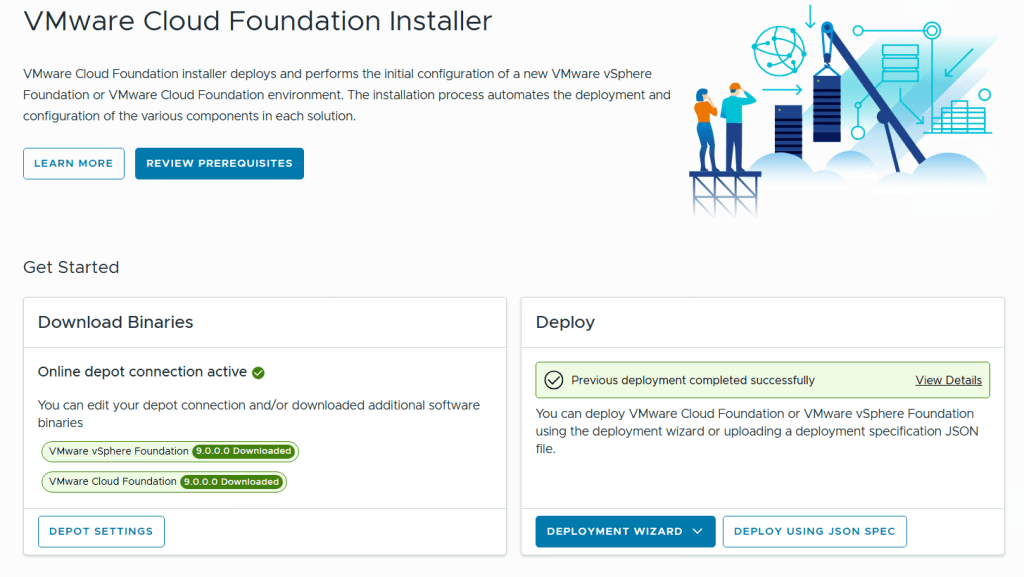
I started with logging in to the VCF Installer Appliance and selected Deploy Using JSON Spec instead of Deployment Wizard.
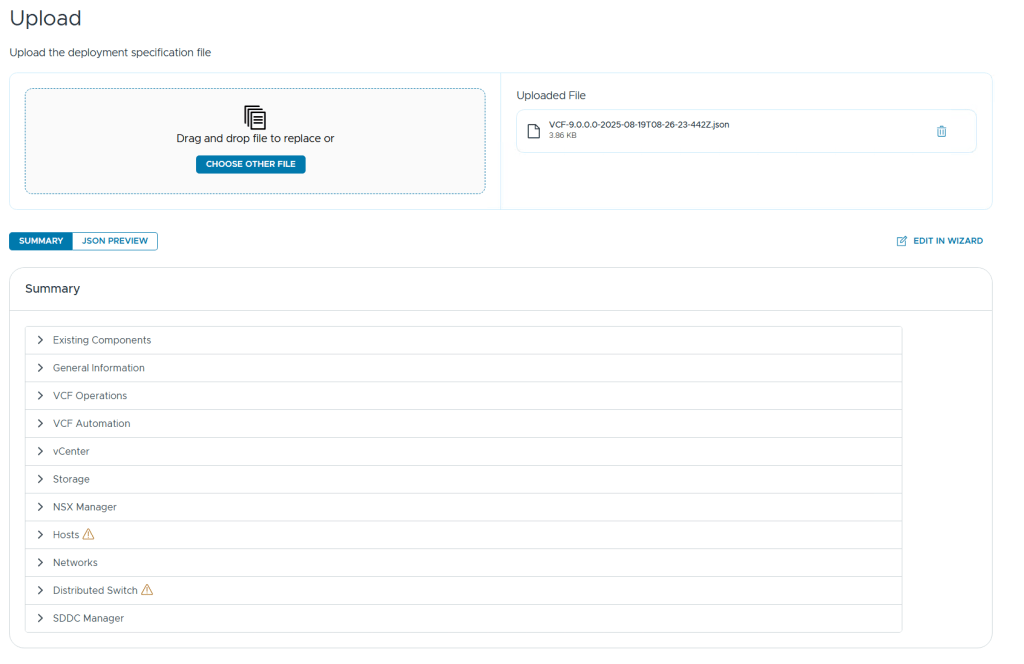
After uploading my JSON spec file it was validated and I saw two categories with a warning symbol next to it, Hosts and Distributed Switch.
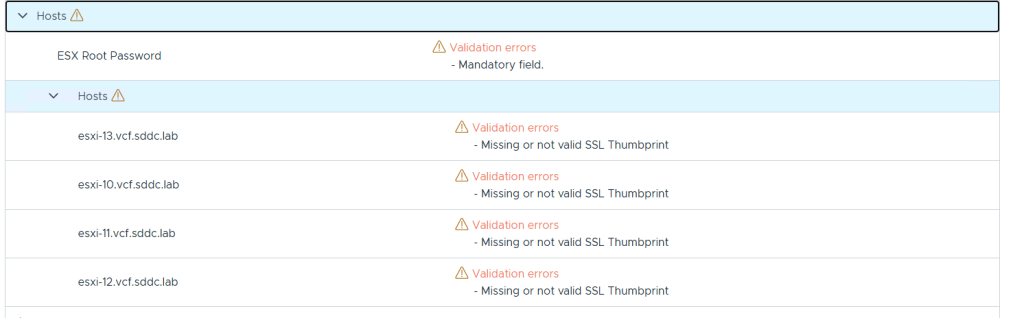
Expanding the Hosts category gave me more details telling me that the root passwords and SSL thumbprints were missing, and this made sense since they are not exported to the json file for security reasons.
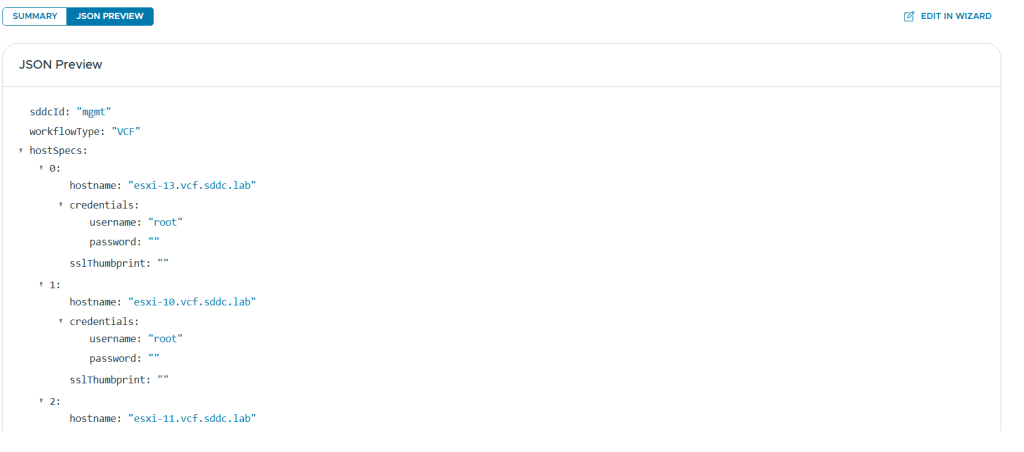
There is also a nice JSON Preview button to quickly check the content without opening it in a separate editor.
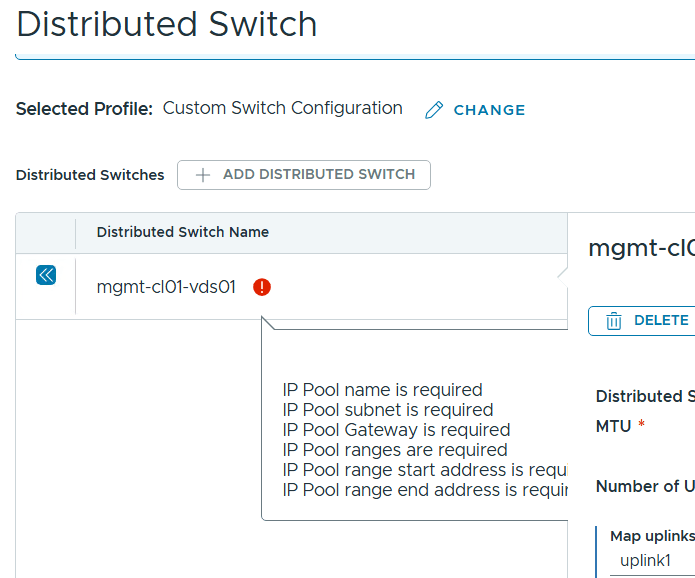
After adding the root passwords and the SSL thumbprints to my json file, these warnings were cleared, but expanding the Distributed Switch category didn’t give me any indications why that also had a warning present.
There is an Edit in Wizard function that let us go through the deployment wizard with the uploaded JSON spec file as input parameters. When using this I found what was causing the warning. It is expecting IP Pool details, but since I use DHCP for IP Assignment (TEP) I omitted the entire ipAddressPoolSpec part of the json file. In previous versions of VCF this would make it use DHCP but I haven’t found out how to do this in VCF 9 yet. I am planning on switching from DHCP to IP Pool soon anyway so not a big deal for my lab use.
Manually switching from IP Pool to DHCP in the wizard worked fine and VCF 9 was deployed successfully four hours later, including VCF Operations and VCF Automation.
 CyberNils.net
Take a look at the JSON generator my colleague Ken Gould recently published https://feardamhan.com/2025/08/14/introducing-the-vcf-jsongenerator-powershell-module-for-vmware-cloud-foundation/
LikeLiked by 1 person