I have been running VMware Cloud Foundation (VCF) in a lab for a few years now. It has always been running on a single physical host. This is fine as long as the host is powerful enough but lately I have been thinking about how to extend it across more than one physical host. I found it obvious that I needed to stretch the VLANs used by VCF between all the physical hosts. I use VLC to deploy VCF and by default it will use VLAN ID 10, 11, 12 and 13. I started with tagging these VLANs on the ports used by my physical hosts. This requires a managed physical switch with support for VLAN trunking. It will also need to support MTU above 1600 bytes to support NSX. I have a QNAP QSW-M408S which supports both.
Here is a screen shot from the vCenter in my VCF 5.0 instance showing that it could use more resources, at least to be able to run Aria, Tanzu or other resource intensive apps:

I ran VLCGui and selected Expansion Pack which is the option to use when adding more ESXi hosts to a VCF instance. I configured it to deploy a single ESXi host to the vCenter managing my free physical hosts instead of the one managing my current VCF hosts. After the validation was successful I selected Construct and the nested ESXi host was deployed after a short while.
I then went into SDDC Manager and commissioned the new host so that it can be used by VCF:
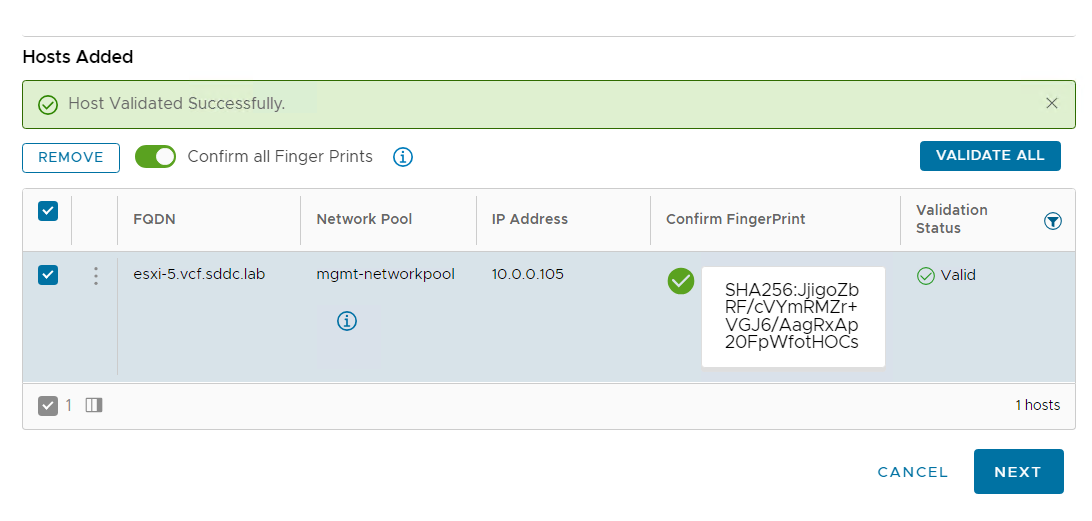
Next step was adding it to my existing cluster:
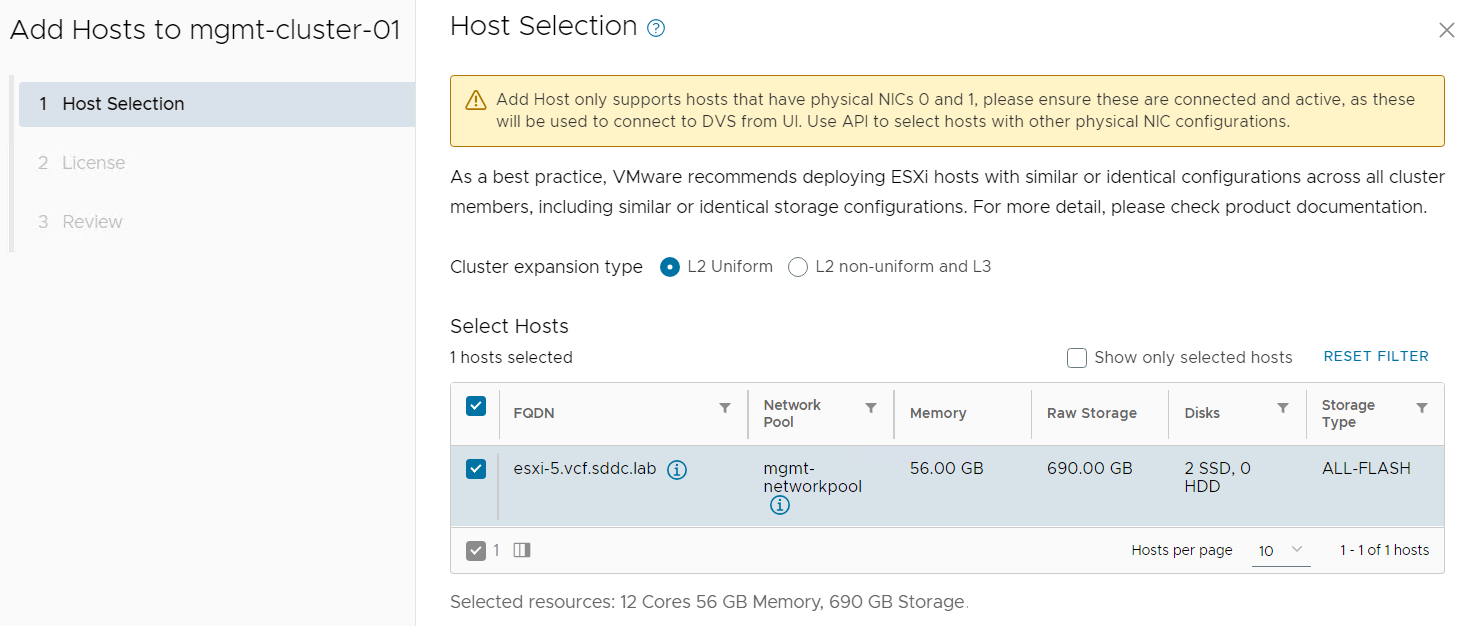
After the host was successfully added to the cluster I wanted to verify that I could ping with jumbo frames from my new nested ESXi host running on an Intel NUC to a nested ESXi host running on my Dell PowerEdge server:
[root@esxi-5:~] vmkping 172.16.254.14 -S vxlan -s 8800 -d
PING 172.16.254.14 (172.16.254.14): 8800 data bytes
8808 bytes from 172.16.254.14: icmp_seq=0 ttl=64 time=1.288 ms
8808 bytes from 172.16.254.14: icmp_seq=1 ttl=64 time=0.898 ms
8808 bytes from 172.16.254.14: icmp_seq=2 ttl=64 time=0.996 ms

--- 172.16.254.14 ping statistics ---
3 packets transmitted, 3 packets received, 0% packet loss
round-trip min/avg/max = 0.898/1.061/1.288 ms
This step is not really necessary as SDDC Manager should verify this for you.
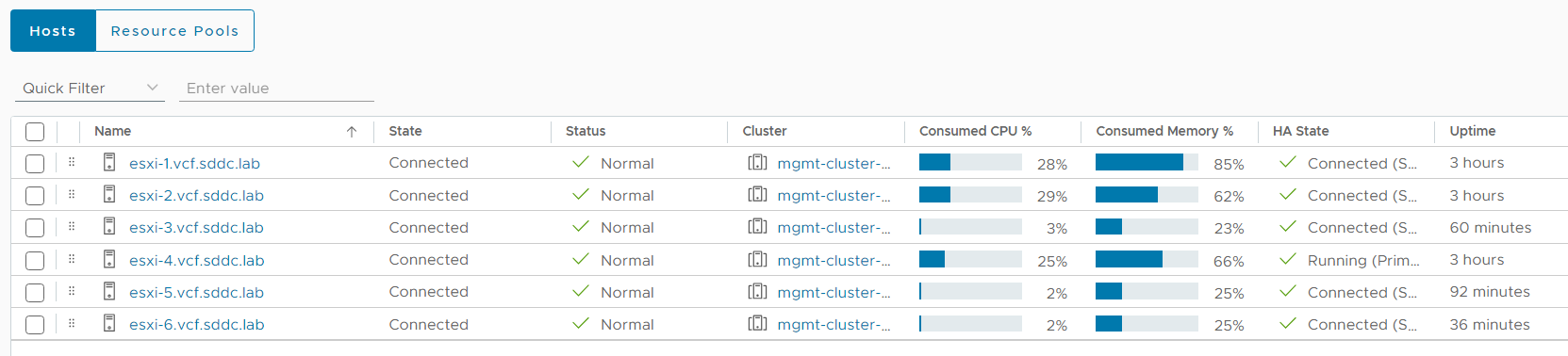
I repeated the steps above to add one more nested ESXi host to my cluster and here is a screen shot from my vCenter with the two additional hosts running:
I found it easy to extend a VCF cluster deployed with VLC across multiple physical hosts as long as I had a physical switch supporting VLAN trunking and jumbo frames. I hope this can help you to add more resources to your VCF lab.
 CyberNils.net
Can you provide some details about the switch you are using? I have tried with several different models of switches and simply cannot get this actually work connecting the hosts via a switch. I suspect this may require some specific type of switching and there may be more going on behind the scenes that I can.
LikeLike
I use a QNAP QSW-M408S but only because I got it really cheap. There is nothing special about it. You only need a switch supporting VLAN Trunking (802.1Q). If you only have two physical hosts, you can actually cross connect those directly without using a switch at all. Look at this for details: https://gibsonvirt.com/vlc-holodeck-advanced-networking/
LikeLike